Create WhatsApp Flows
Expediusly currently does not support creating WhatsApp Flows in the Expediusly backend. You need to go to your BM console to create WhatsApp Flows. However, please note that only accounts that are enterprise verified can create Flows.
This article provides a tutorial for creating WhatsApp Flow in both video and text format. Please click here if you want to watch the video tutorial. Next is the detailed text tutorial.
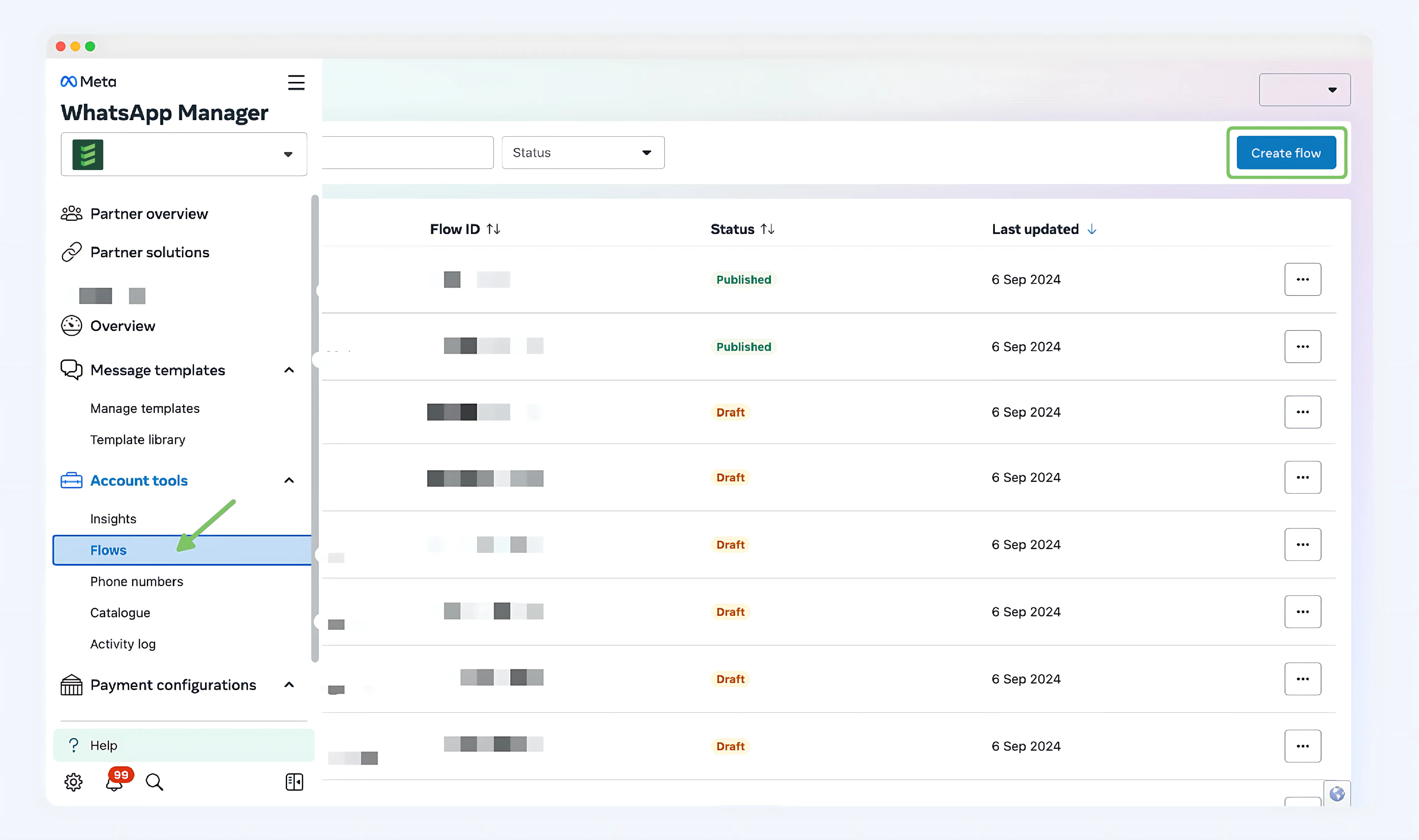
Step 1:
Log in to your BM account > Flows > Create flow
Step 2:
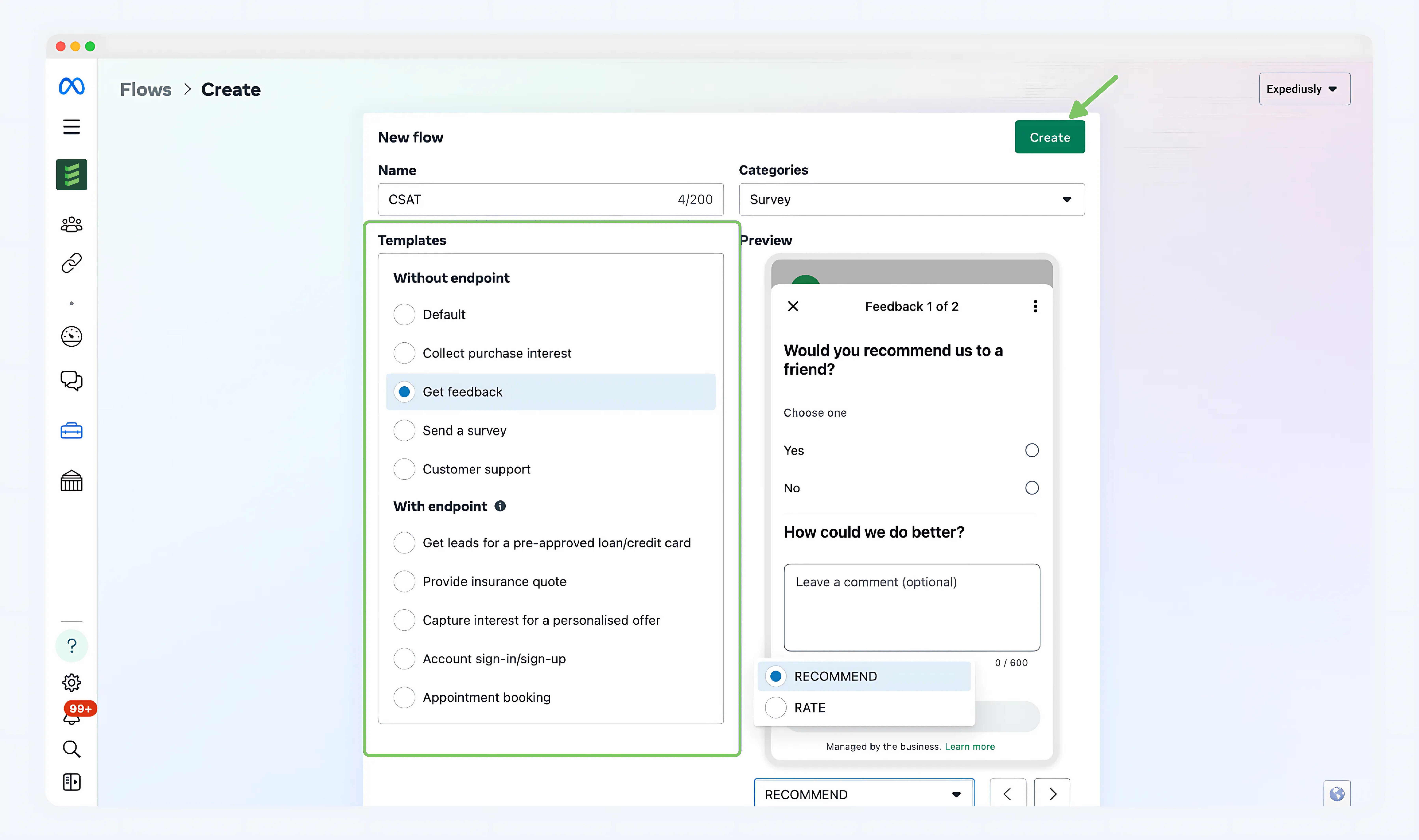
Enter the template name, select the template category, and choose the format for displaying the template.
Note: You can choose different template styles in the bottom right corner.
Step 3:
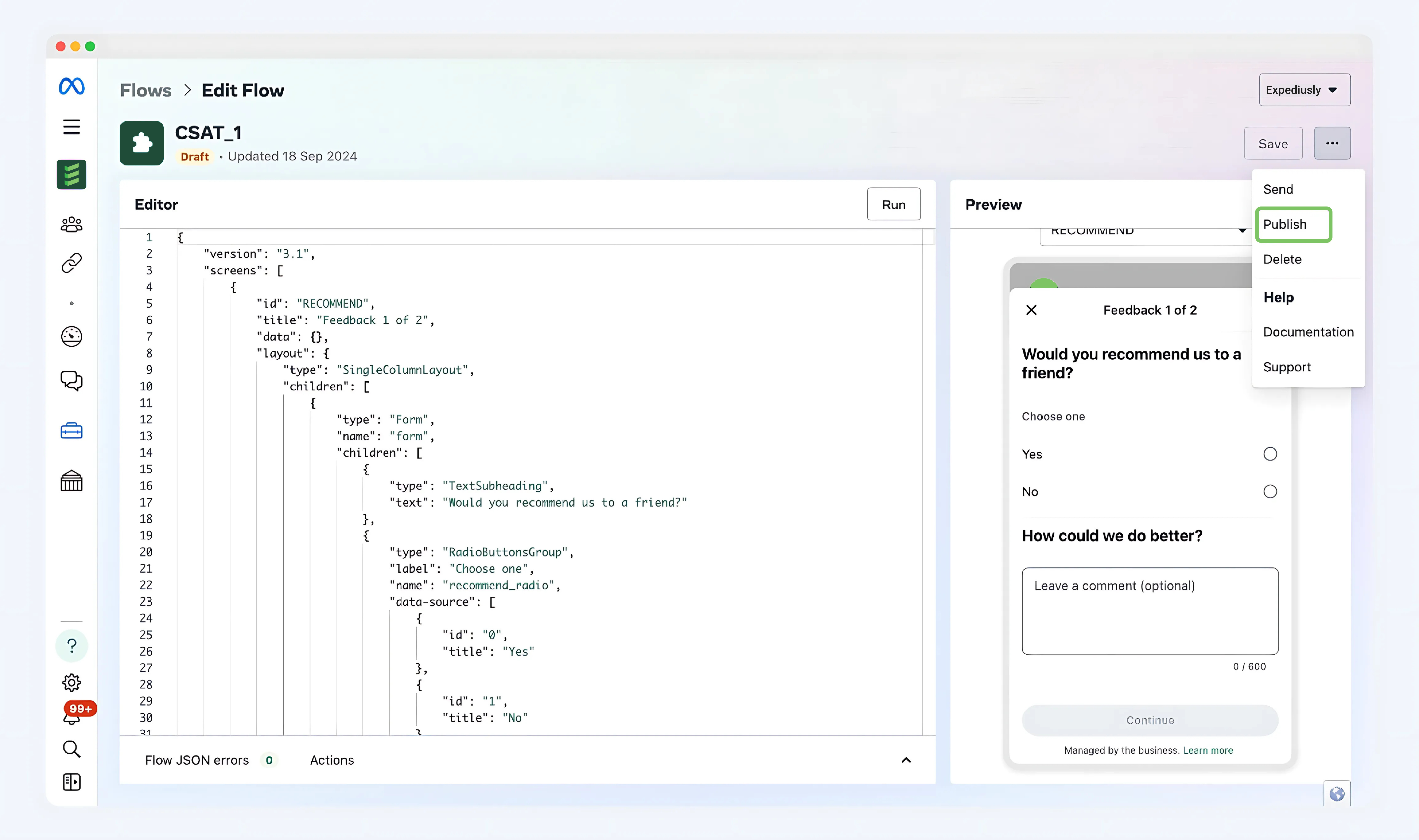
Click "Publish" to publish this flow
Step 4:
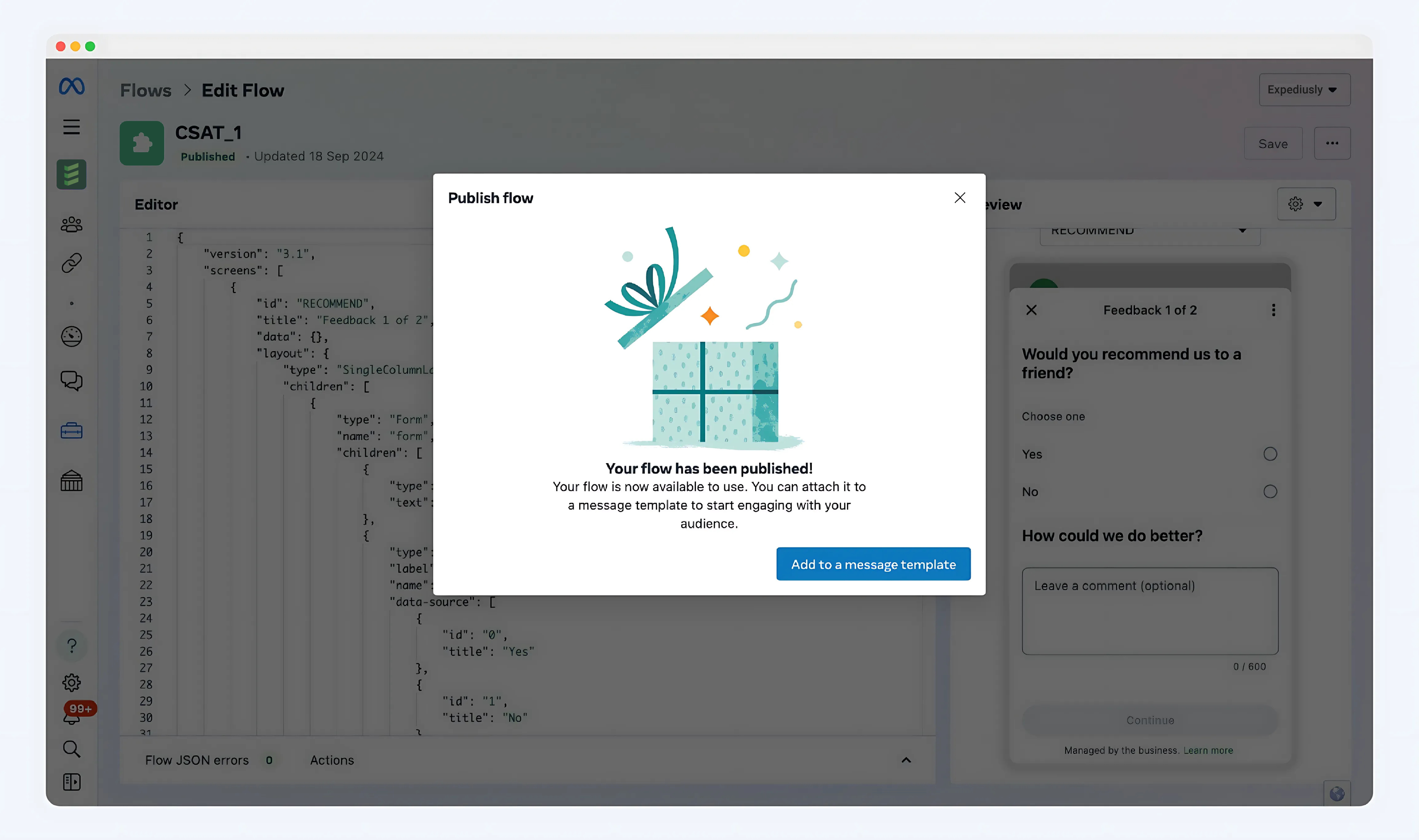
Complete Flow creation. When the following page appears, it means the Flow has been successfully created!
FAQ
Question 1) Why I can not create WhatsApp Flows?
Answer)
-
Confirm whether you have passed the business verification. Click to view the detailed tutorial for applying for business verification.
-
If you created a Flow in the BM backend but cannot insert the previously created Flow when creating a template in the Expediusly backend, check if it's under the same WABA.