Create/Import Contacts
Single Manual Import
Step 1
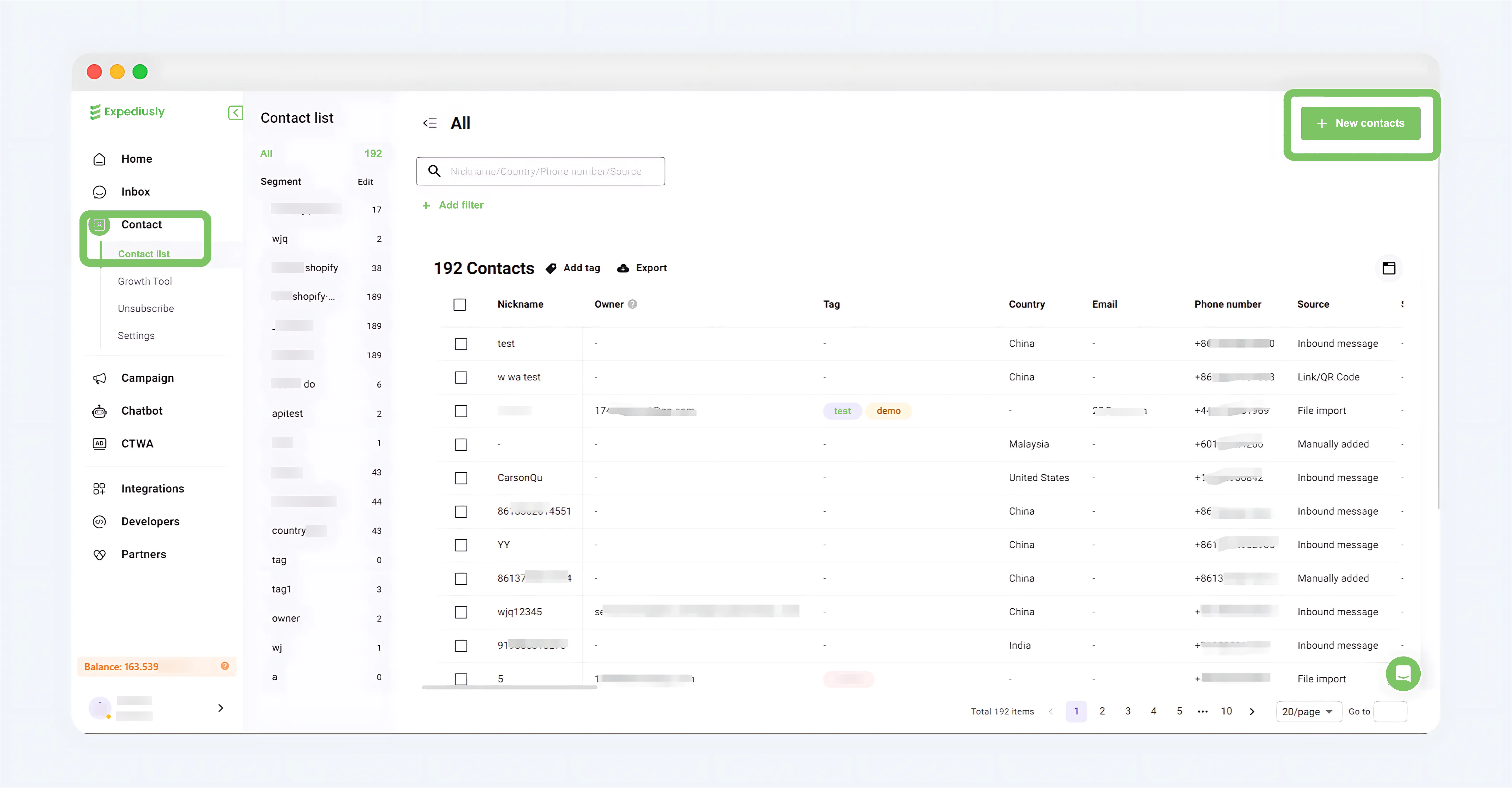
Log in to your Expediusly account, navigate to Contact > Contact list > + New contacts
Step 2
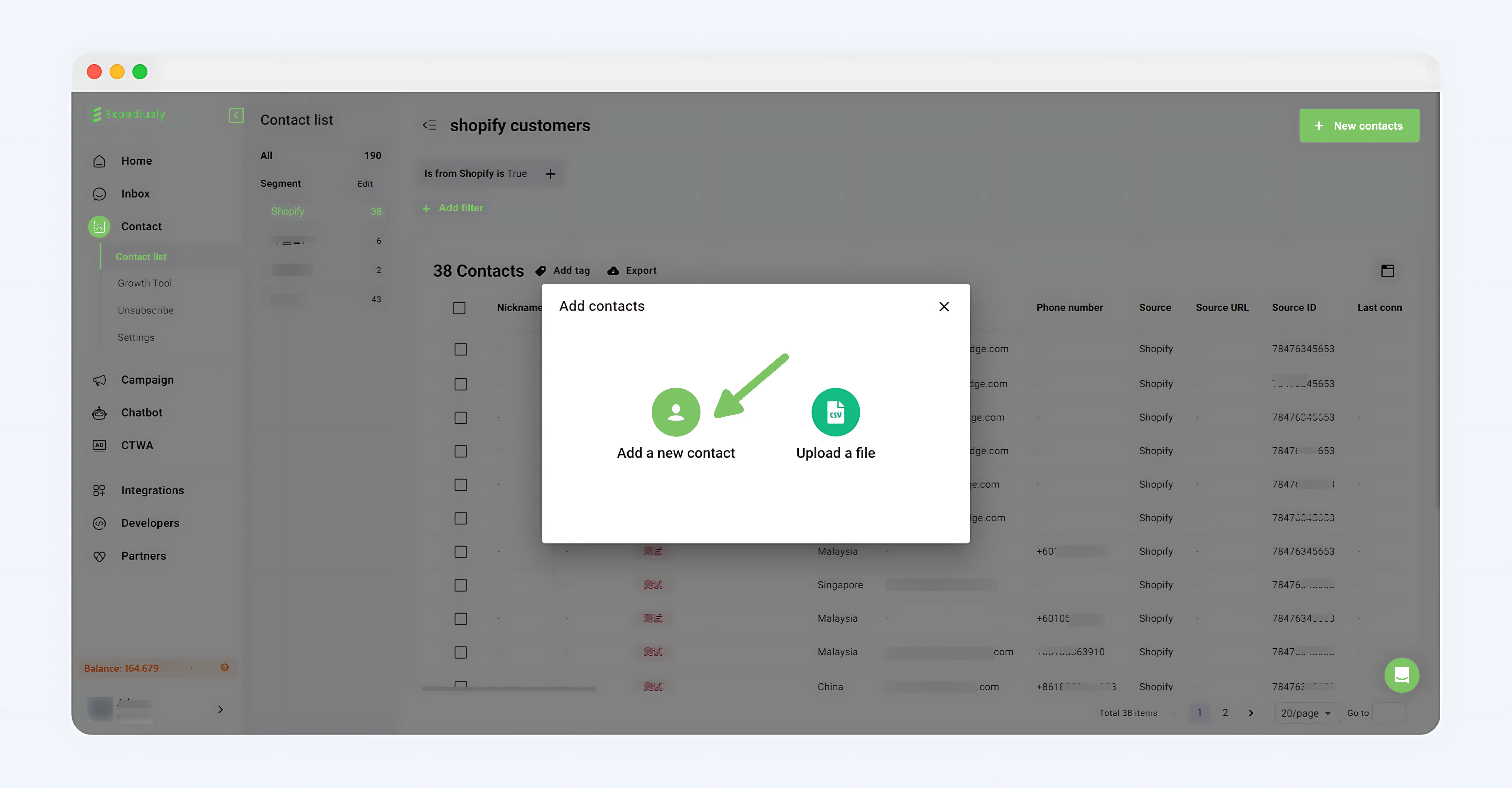
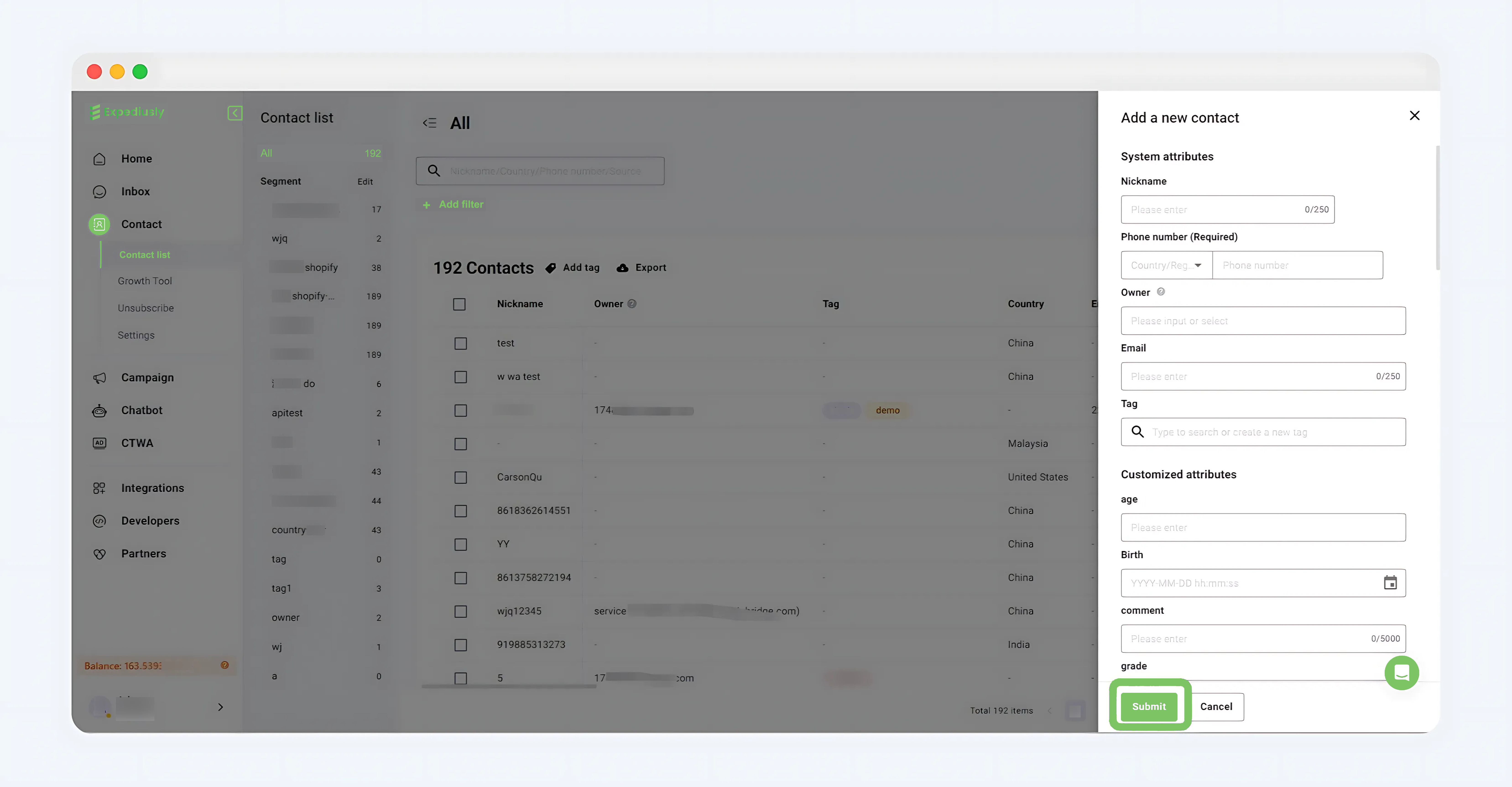
Click + New contacts > Add a new contact, fill in the contact information > Click Submit
Bulk Manual Import
Step 1
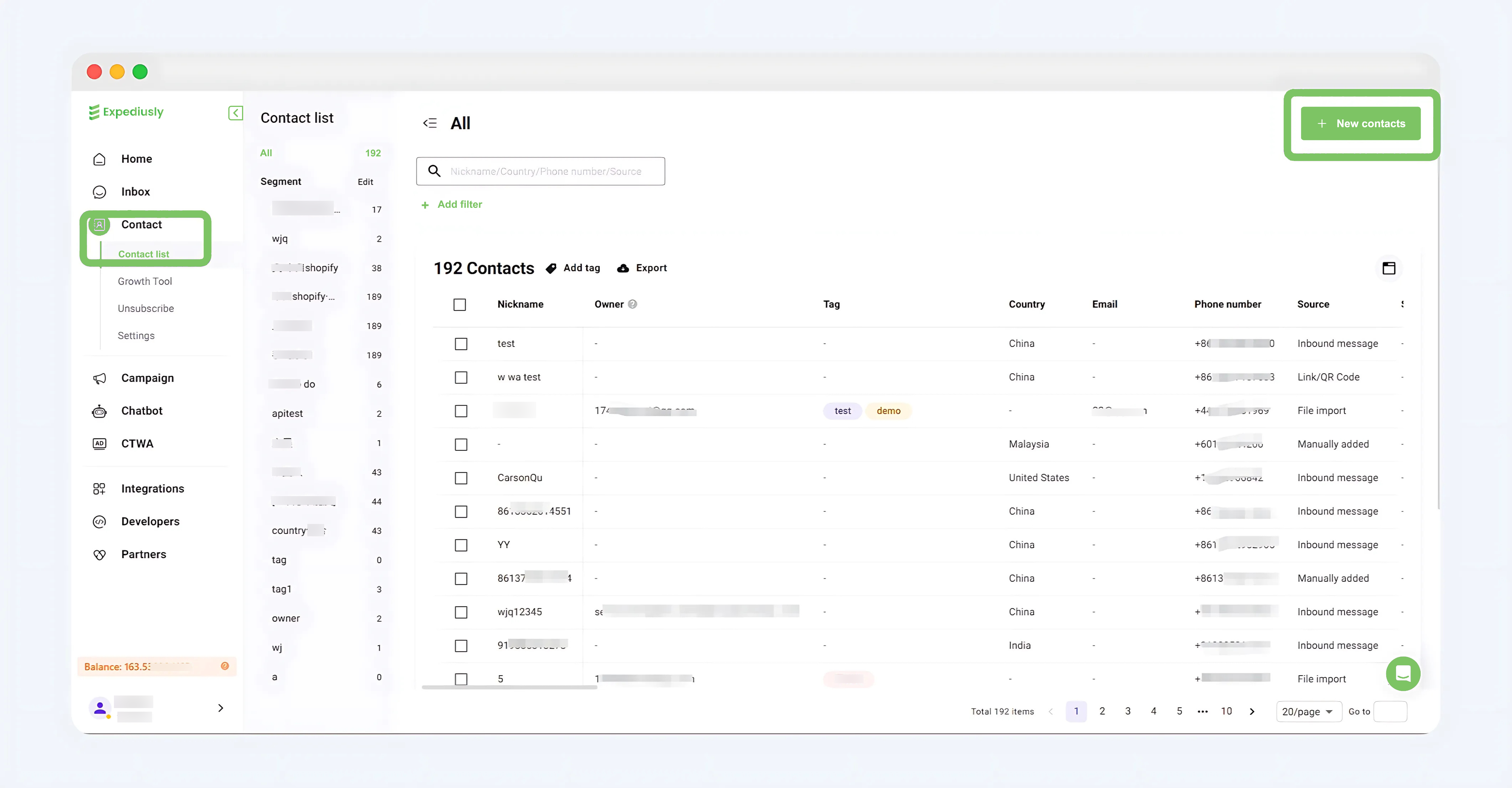
Log in to your Expediusly account, navigate to Contact > Contact list > + New contacts
Step 2
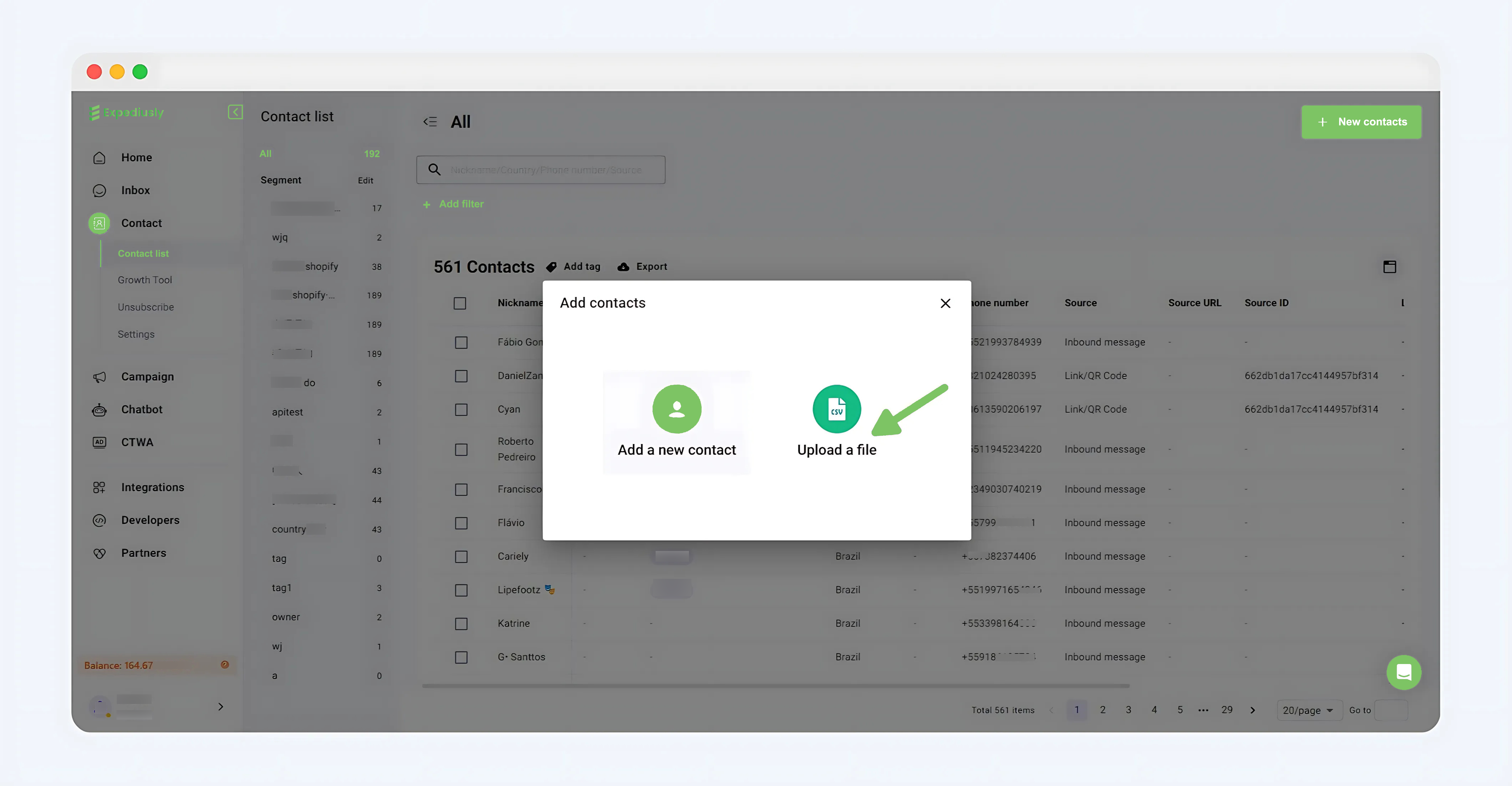
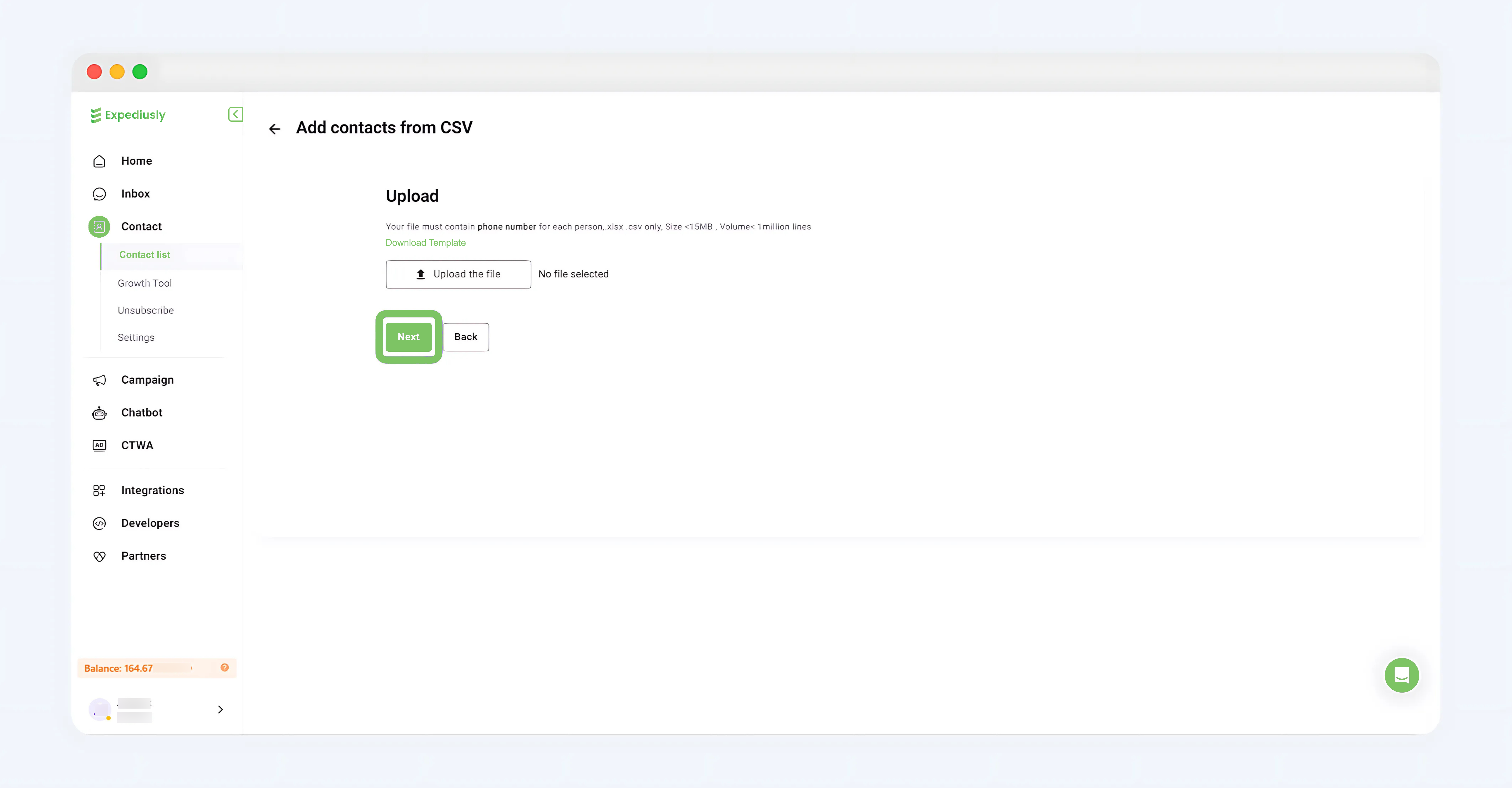
Click + New contacts > Upload a file, upload the contact document; click “Next” to upload
API Import
Click to view the API Import documentation