Data Analysis
The Data Analysis page integrates message records from all WABA numbers under the account.
Message Delivery Statistics
Click on the left navigation Home > Analytics to enter the Data Analysis page. The default view shows message-level delivery statistics.
image
Conversation Statistics
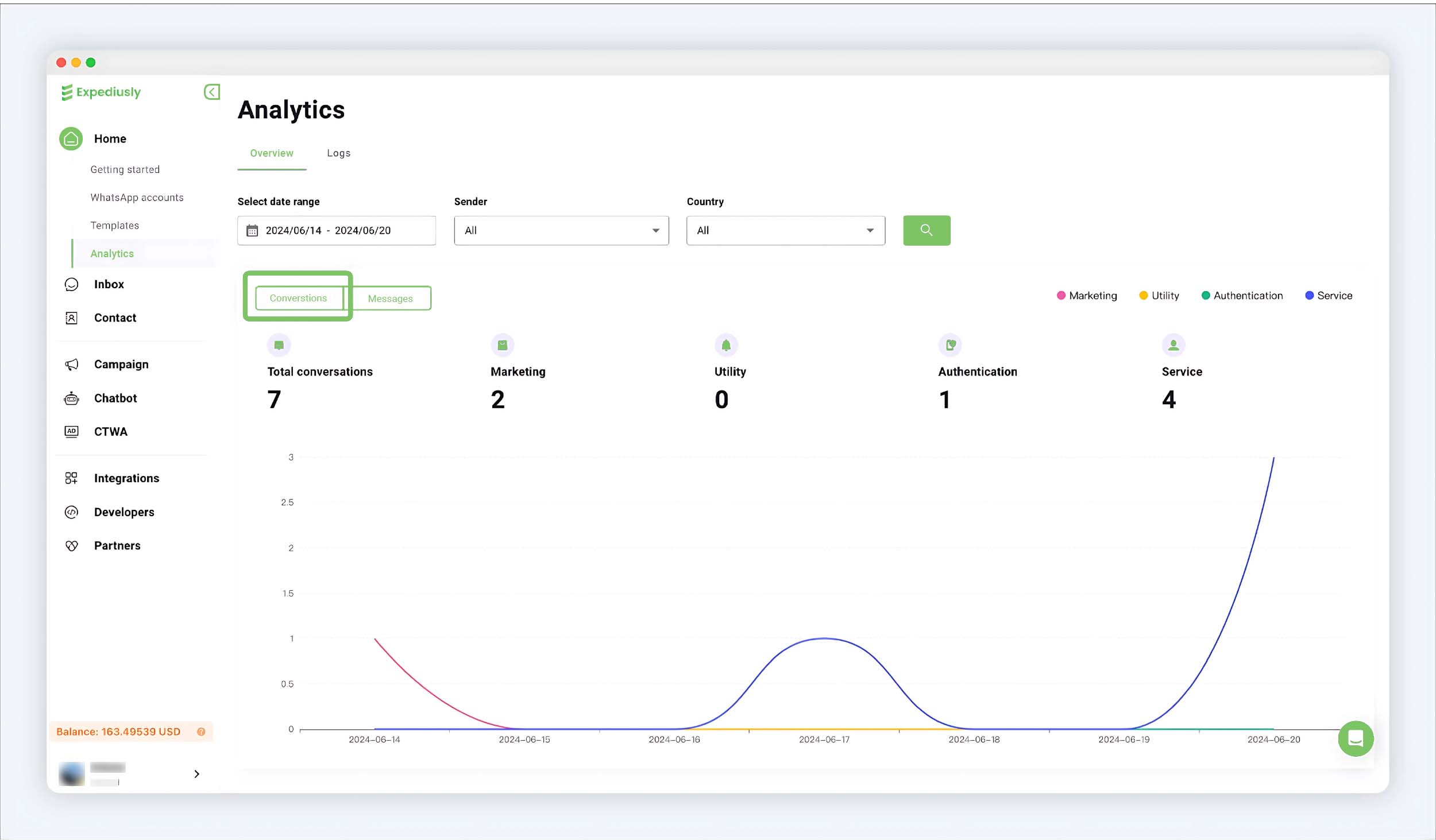
Switch to the Conversation tab to view conversation-level statistics.
Message Logs
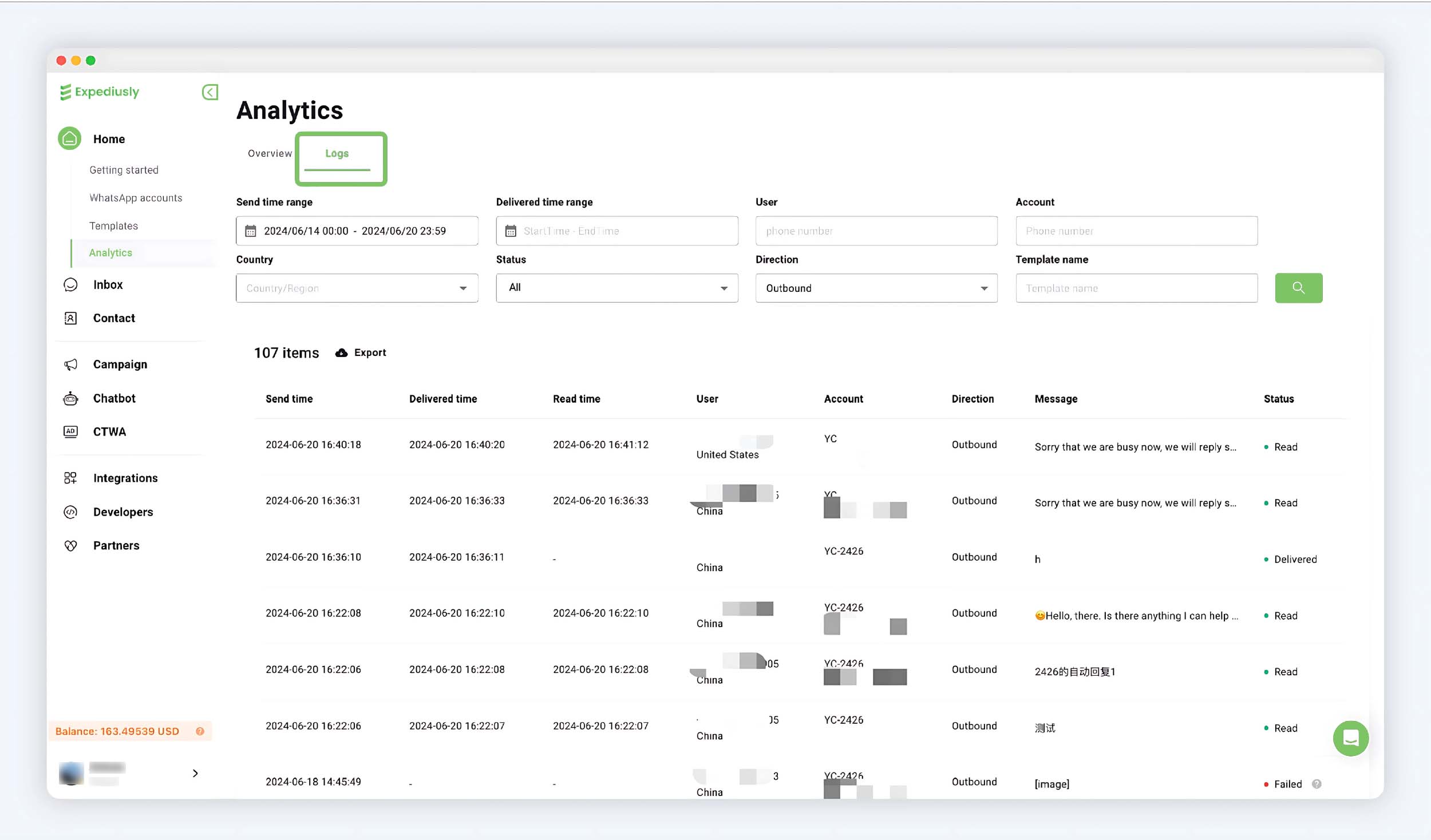
Click Logs to view all message sending records. You can see the sending time, receiving time, and status of each message.
Sending Records
User is the customer's number, and Account is the WhatsApp API account that sent the message.
Receiving Records
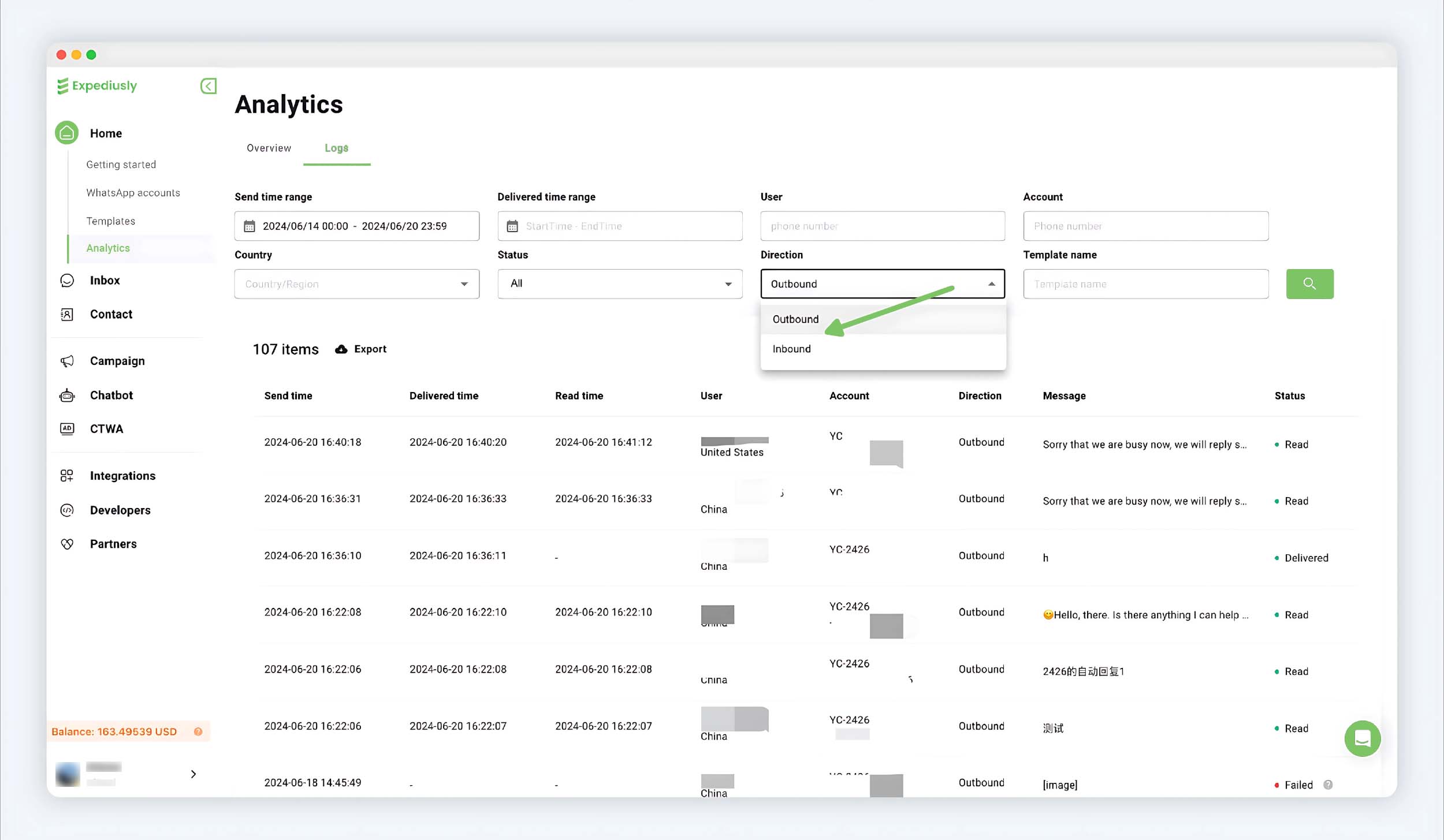
Select Inbound message for Direction to view all received messages.
User is the customer's number, and Account is the WhatsApp API account that received the message.