Agent/Sale Guide
Customer Service Operation Guide
Accepting Invitations
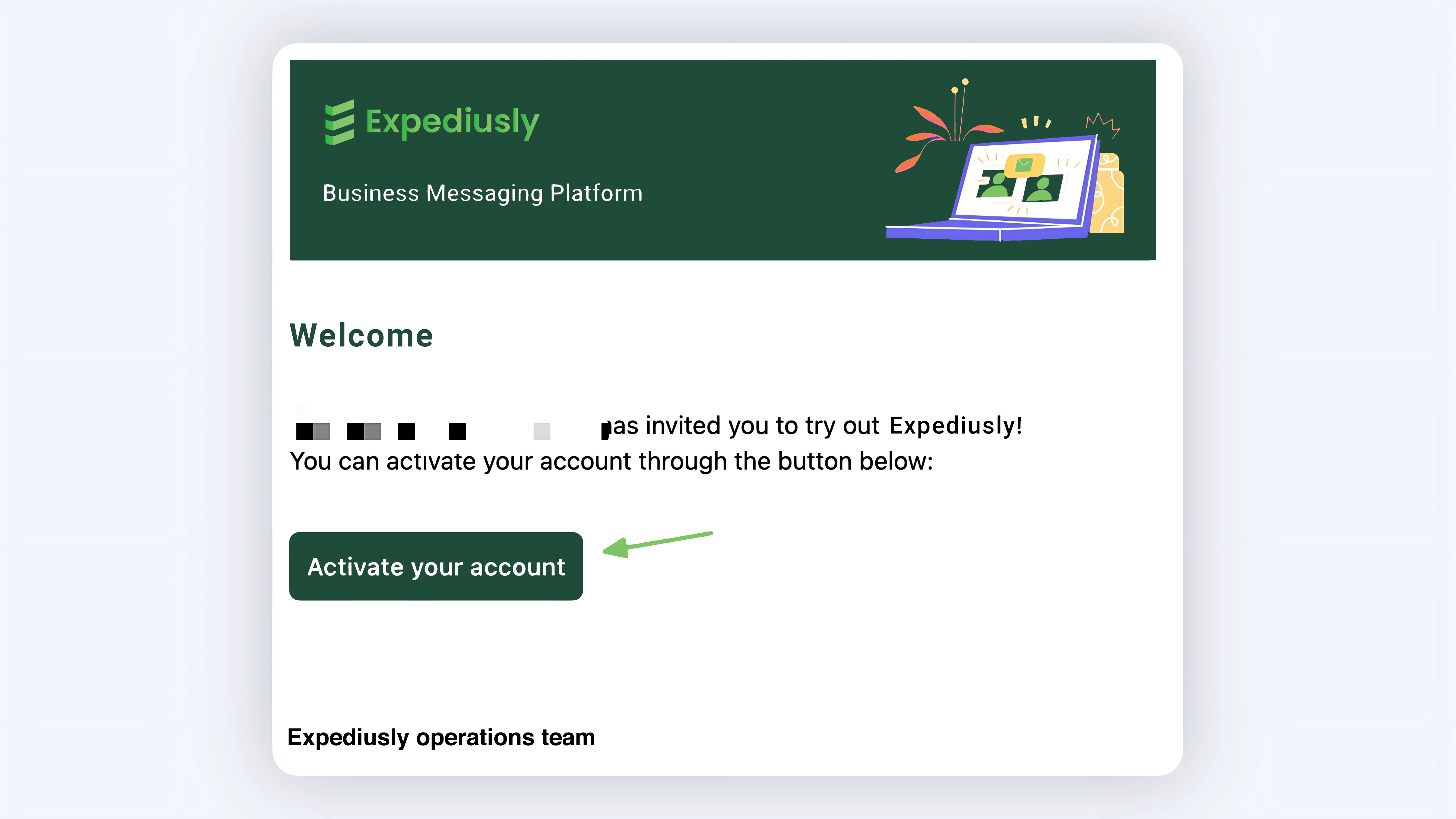
Find the corresponding activation email and click the "Activate your account" button to accept the invitation and complete the account activation.
Personal Account Settings
Personal Preferences
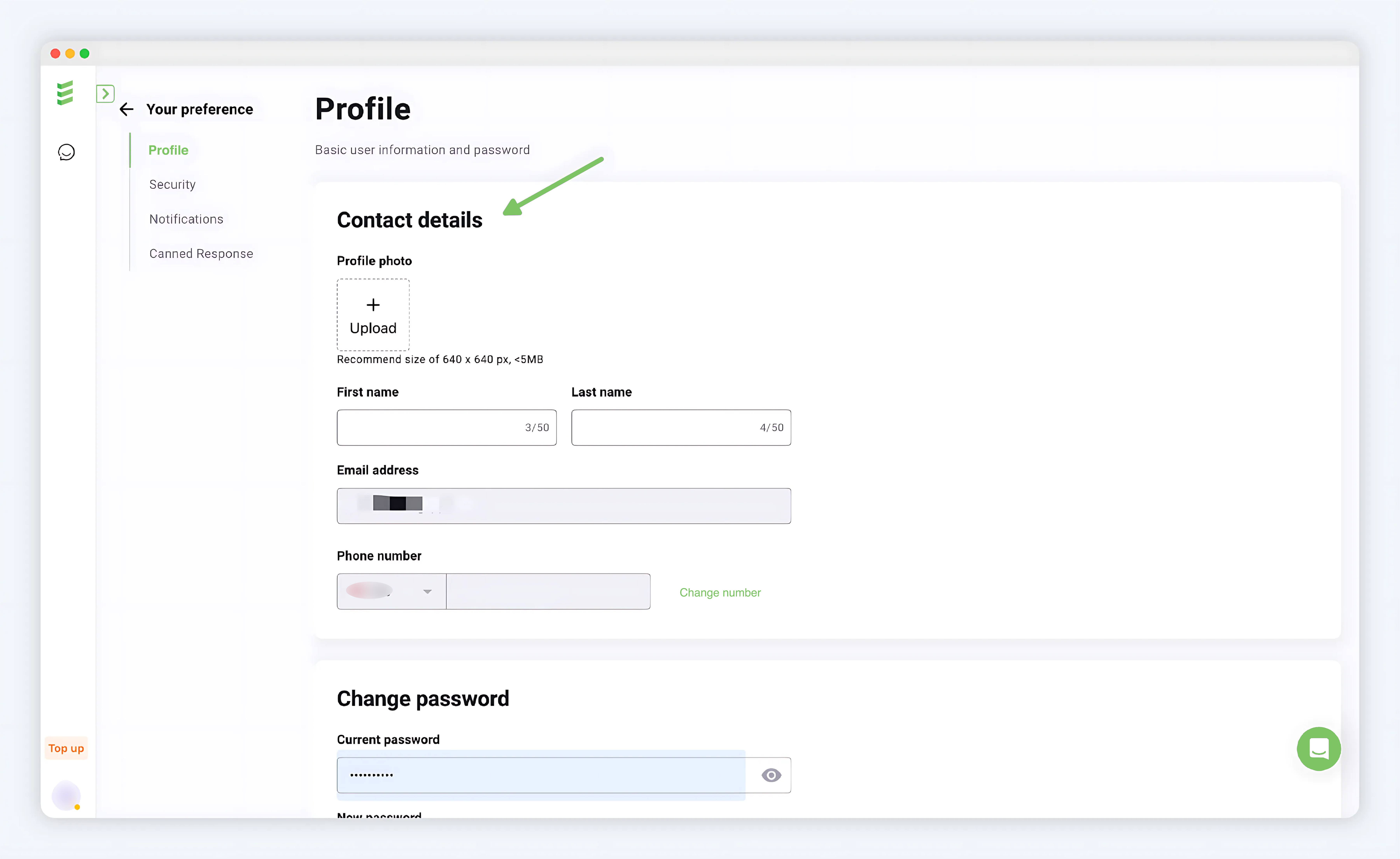
Find Account (under the avatar in the lower left corner) and click Edit to enter Account > Profile
Upload your profile image, recommended size 640*640, less than 5MB, and fill in basic information.
PS: This information is only used for internal management identification, and customers can only see the image corresponding to the WhatsApp number.
Notification Preferences
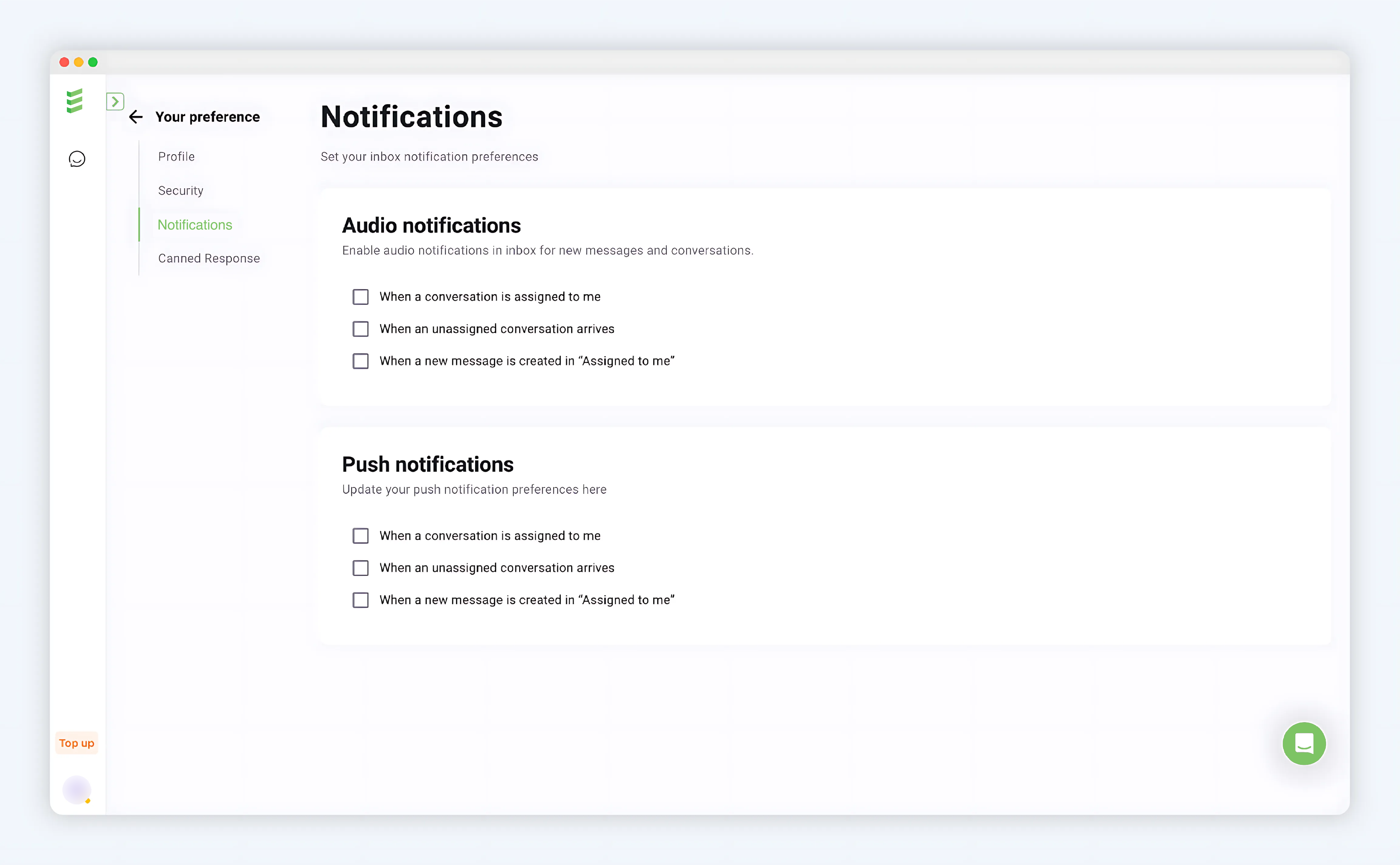
Set the scenarios for inbox notification triggers: Account > Notifications
- Set the timing for sound alerts
- Set the timing for browser pop-up alerts (browser alert permissions need to be enabled)
Welcoming Customers
Familiarize Yourself with the Inbox Chat Interface
Please refer to the documentation
Starting a Chat
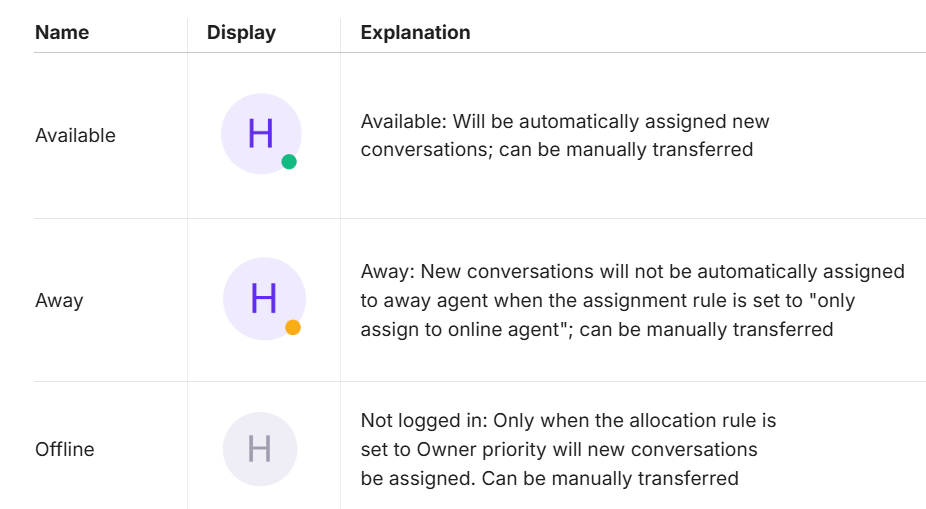
Personal Status Setting
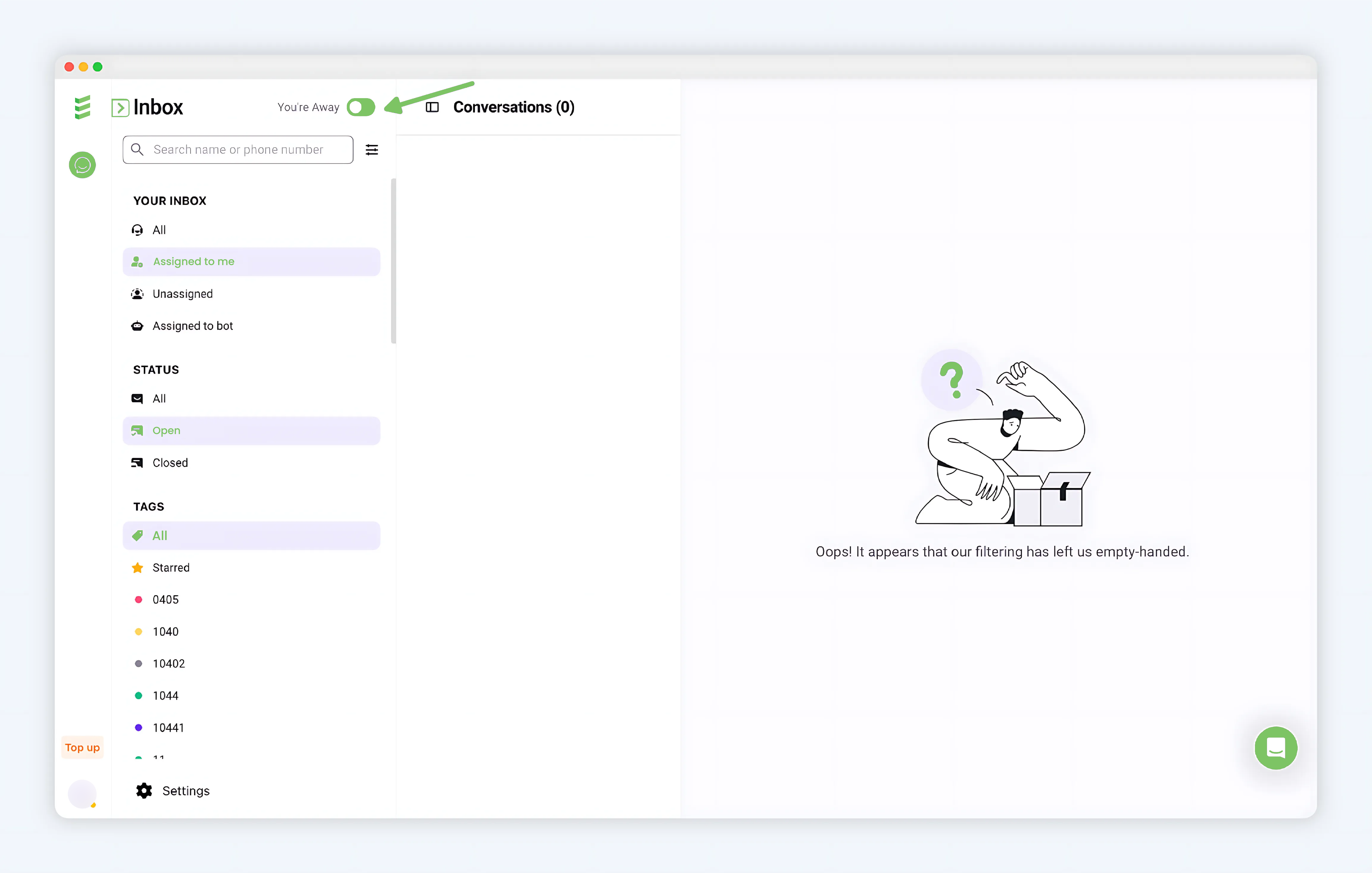
After logging in, the status is "Away," adjust it to "Available," and new conversations will be automatically assigned at this time.
The customer service status is the basis for the system to determine whether to automatically assign conversations.