Inbox Data Analysis
Learn how to master team performance through Inbox statistics reports
Data Analysis Entry
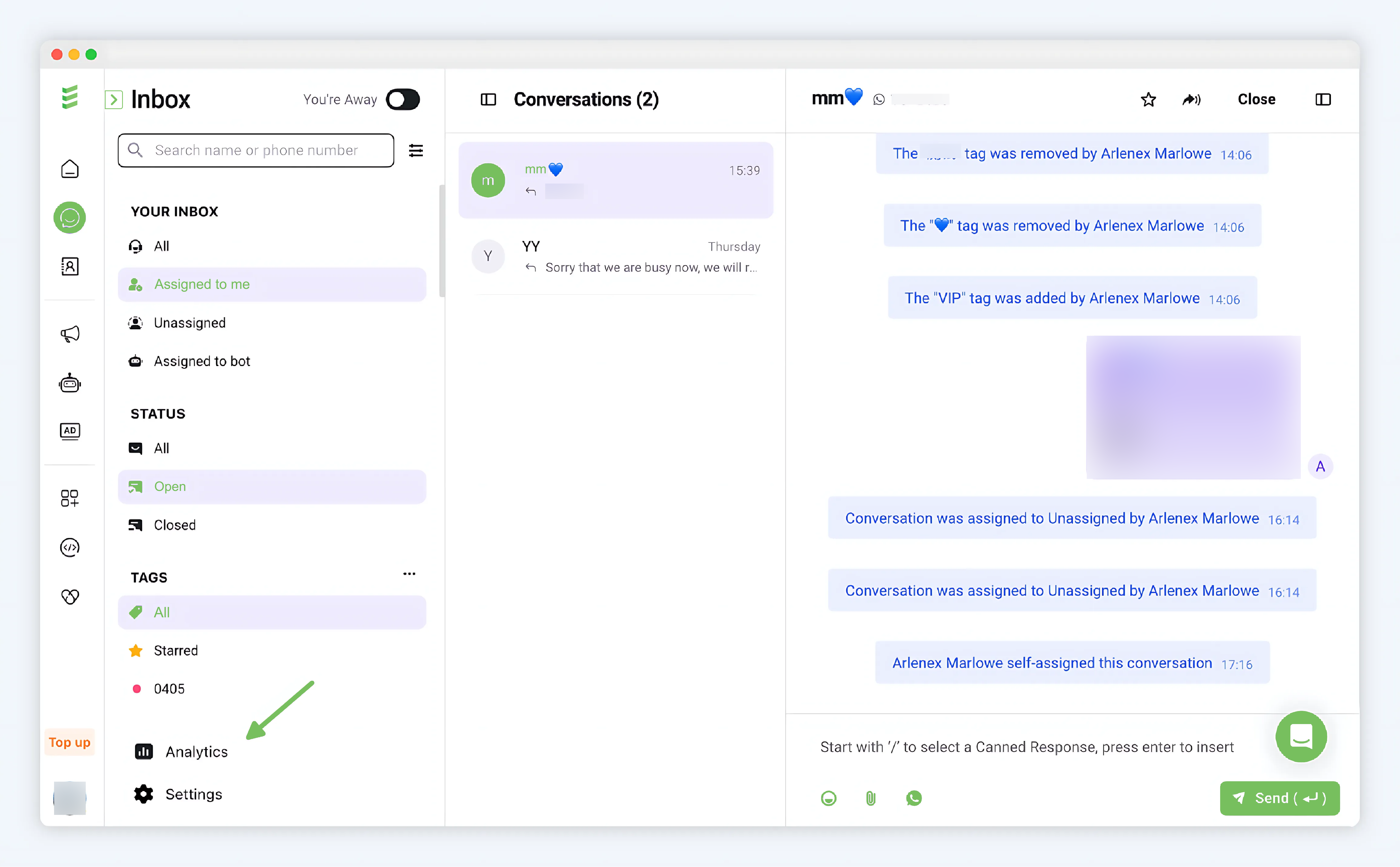
The entry is located at the bottom left of Inbox > Analytics
Real-time Overview
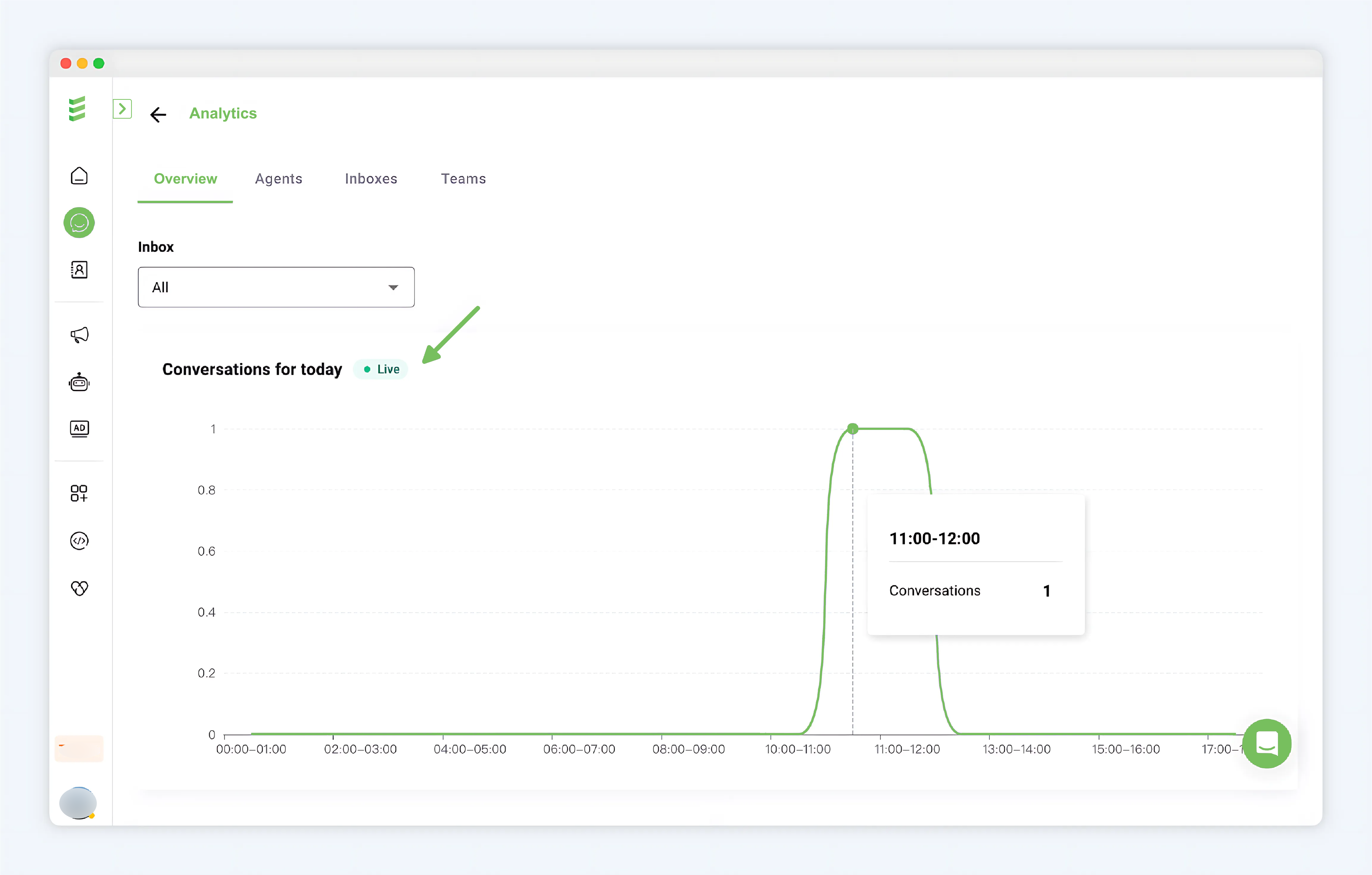
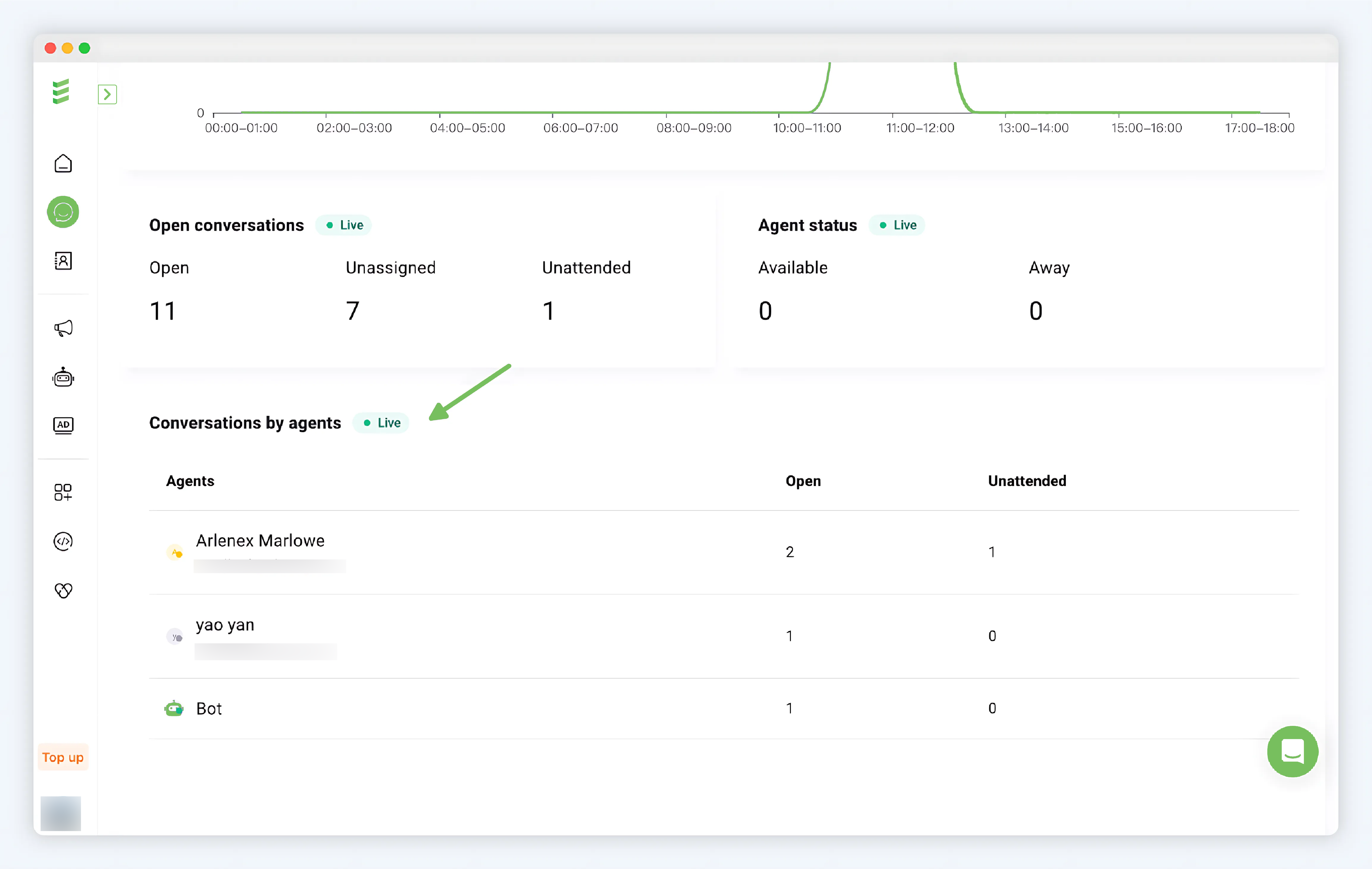
The Inbox Real-time Overview provides real-time information (updated every 1h). With this feature, you can clearly understand the number of conversations today, know the overall scale of communication with users today; grasp the real-time reception status of customer service. The statistical time zone is GMT+8, starting from 0:00. By default, it counts the situation under all WhatsApp accounts, and you can filter at the top to view the data of a specific WhatsApp number corresponding to the Inbox separately.
- Today's Conversations: Number of conversations entered every hour today
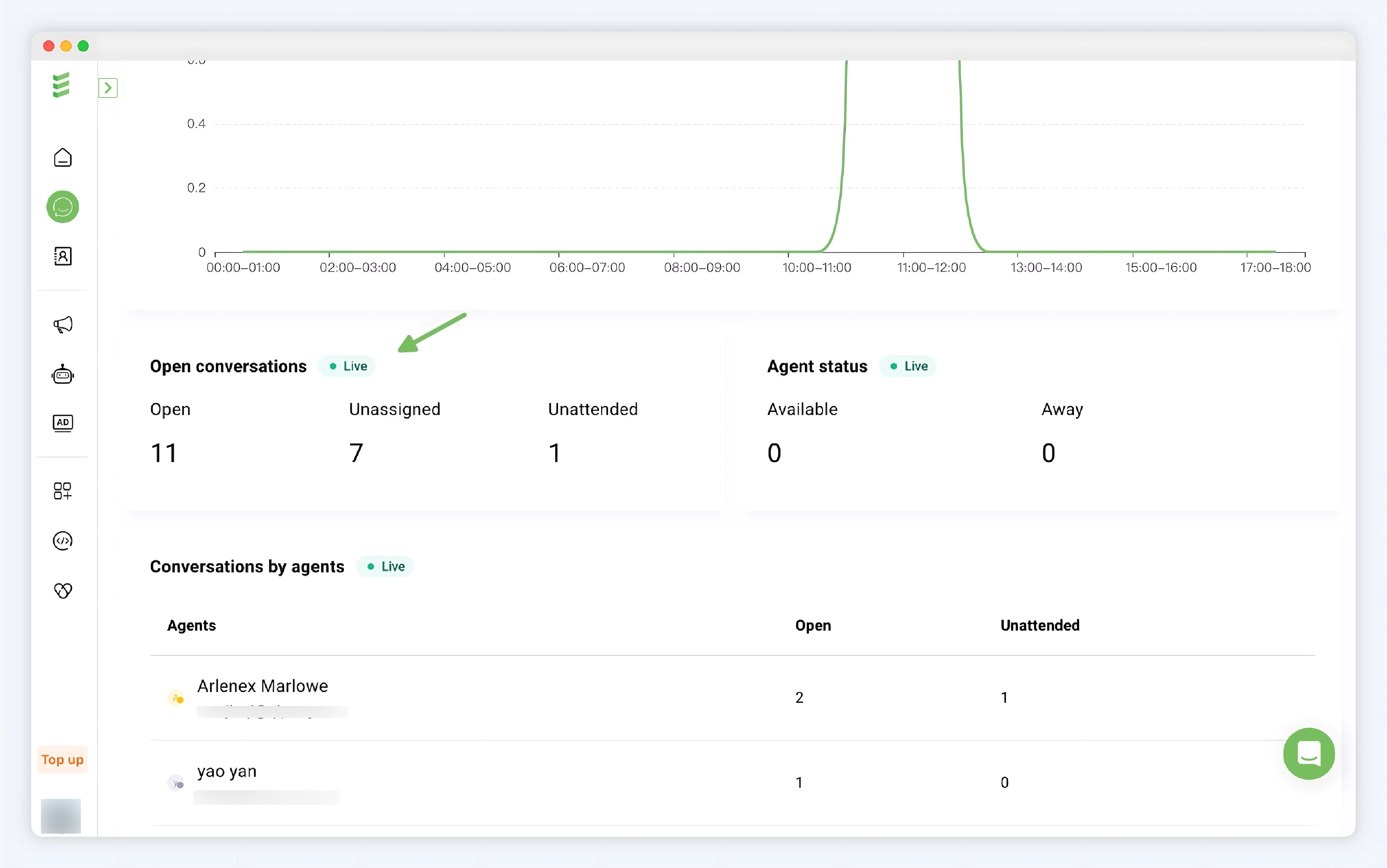
- Open Conversations: Includes opened conversations, unassigned conversations, and conversations that have been assigned but not yet responded to
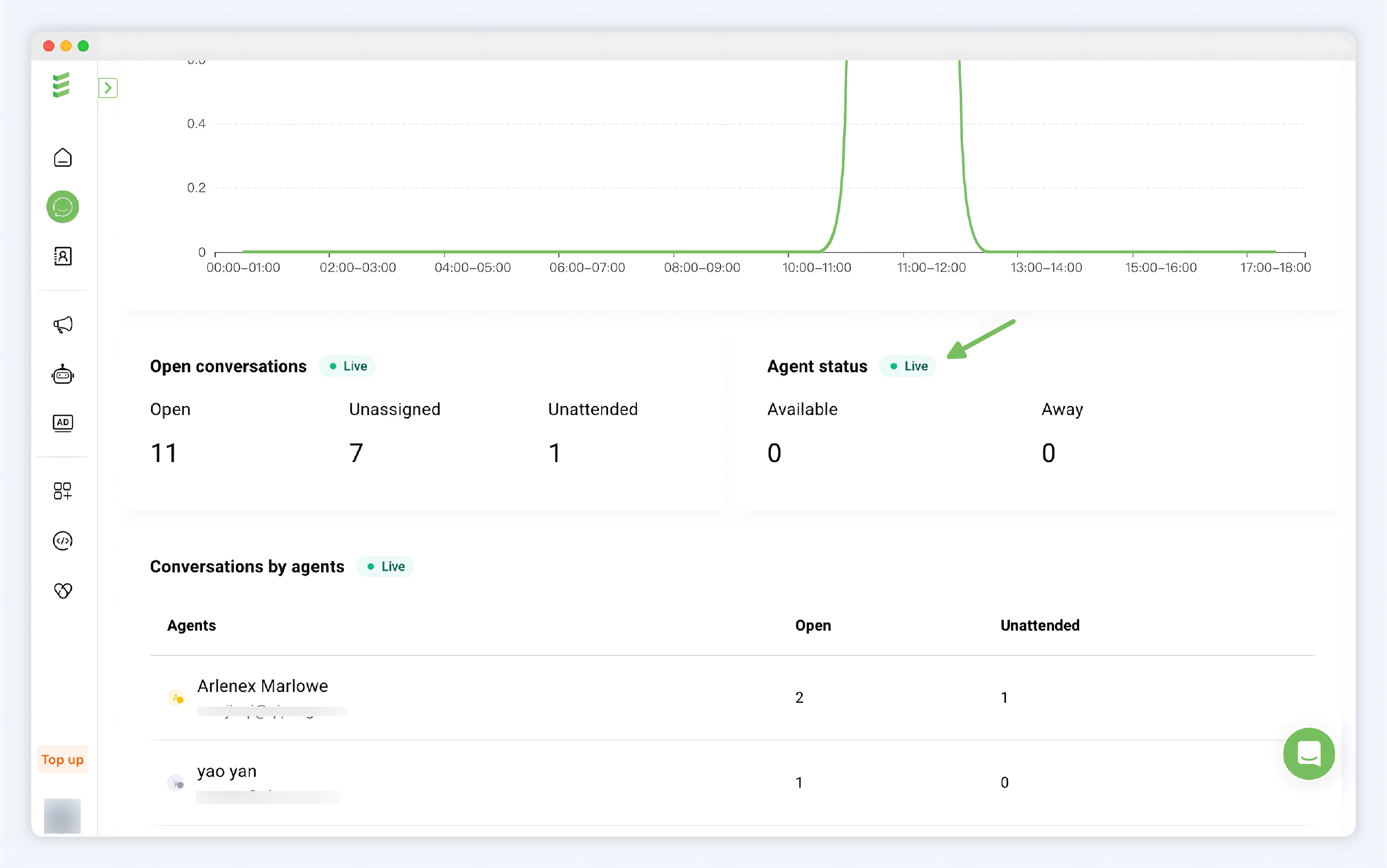
- Agent Status: Available or Away status for agent
- Agent Conversation Handling: From the perspective of agents, understand the corresponding opened and unanswered conversations. Used to understand the performance and workload of agents.
Agents
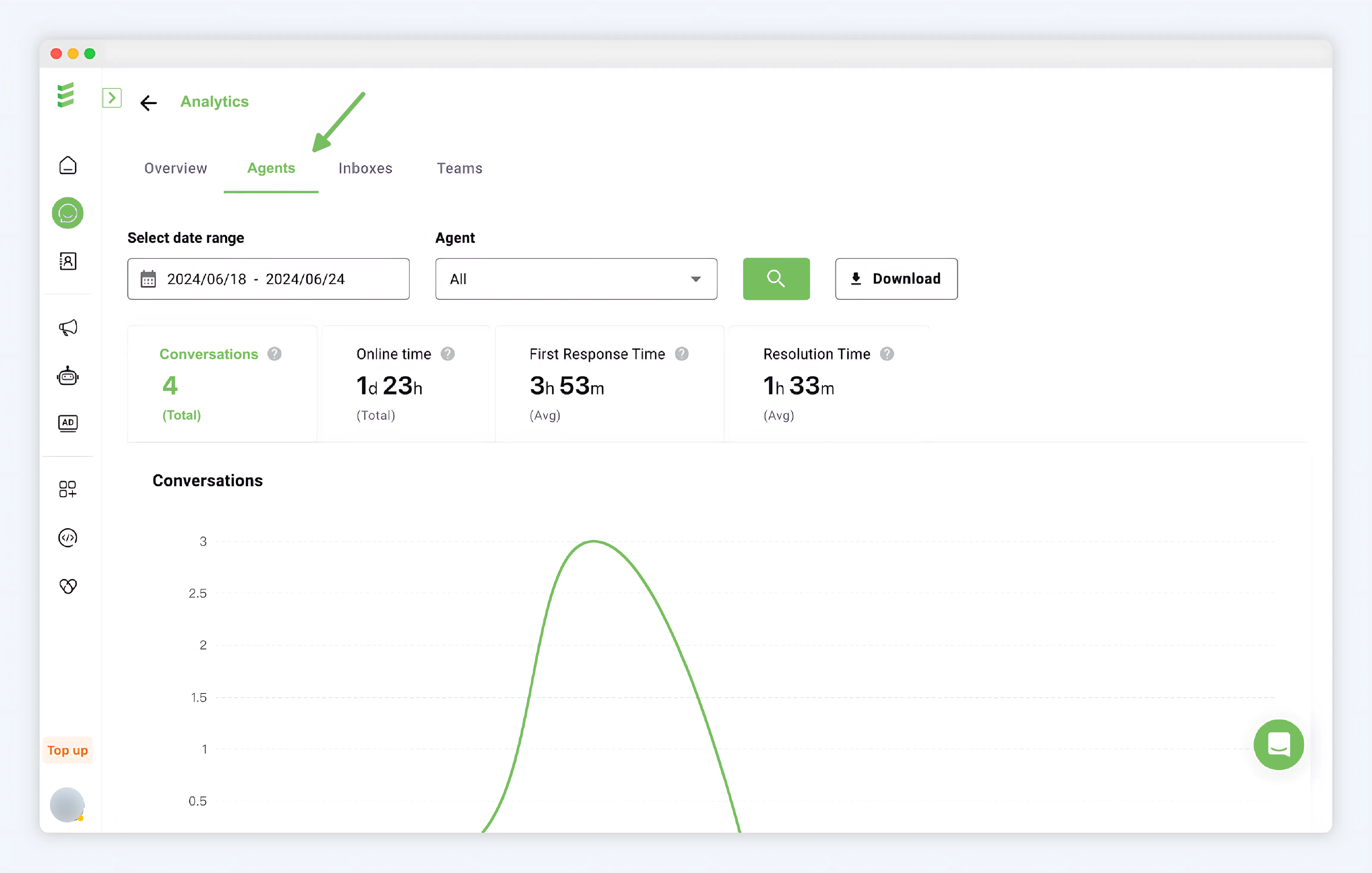
From the perspective of agents, the entry is shown in the figure Analytics > Agents
-
Data Filtering: Select the statistical time period, defaulting to the last 7 days. Up to the last 1 year of data can be selected. Select the corresponding agent, defaulting to the total data of all agents, click the "magnifying glass" search button to load the data.
-
Data Download: Click the "Download" button
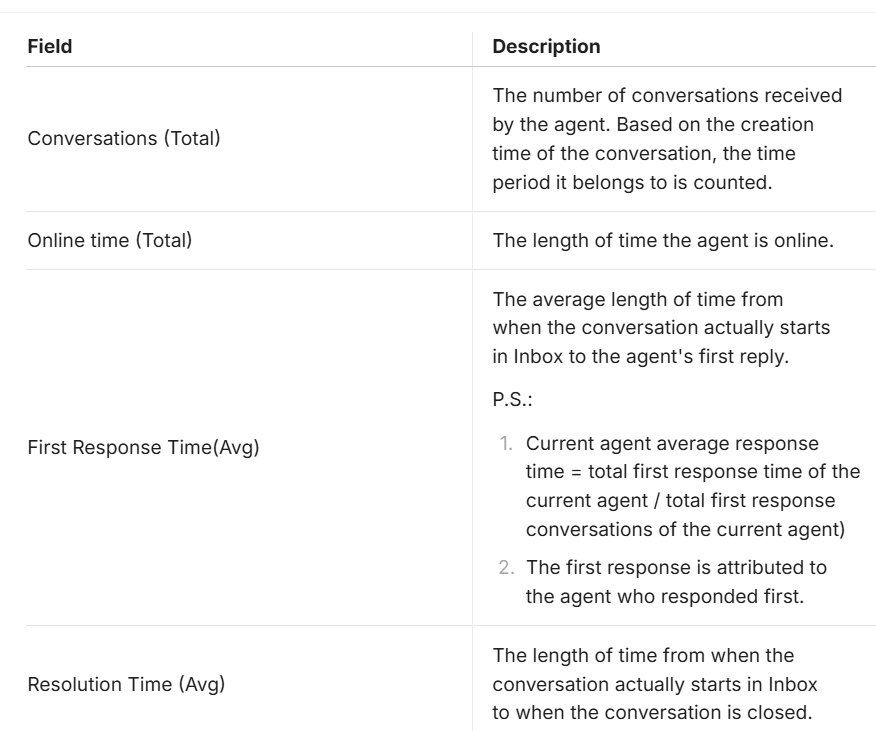
Conversation Statistics Fields
Conversation statistics unit:
-
day: d
-
hour: h
-
minute: m
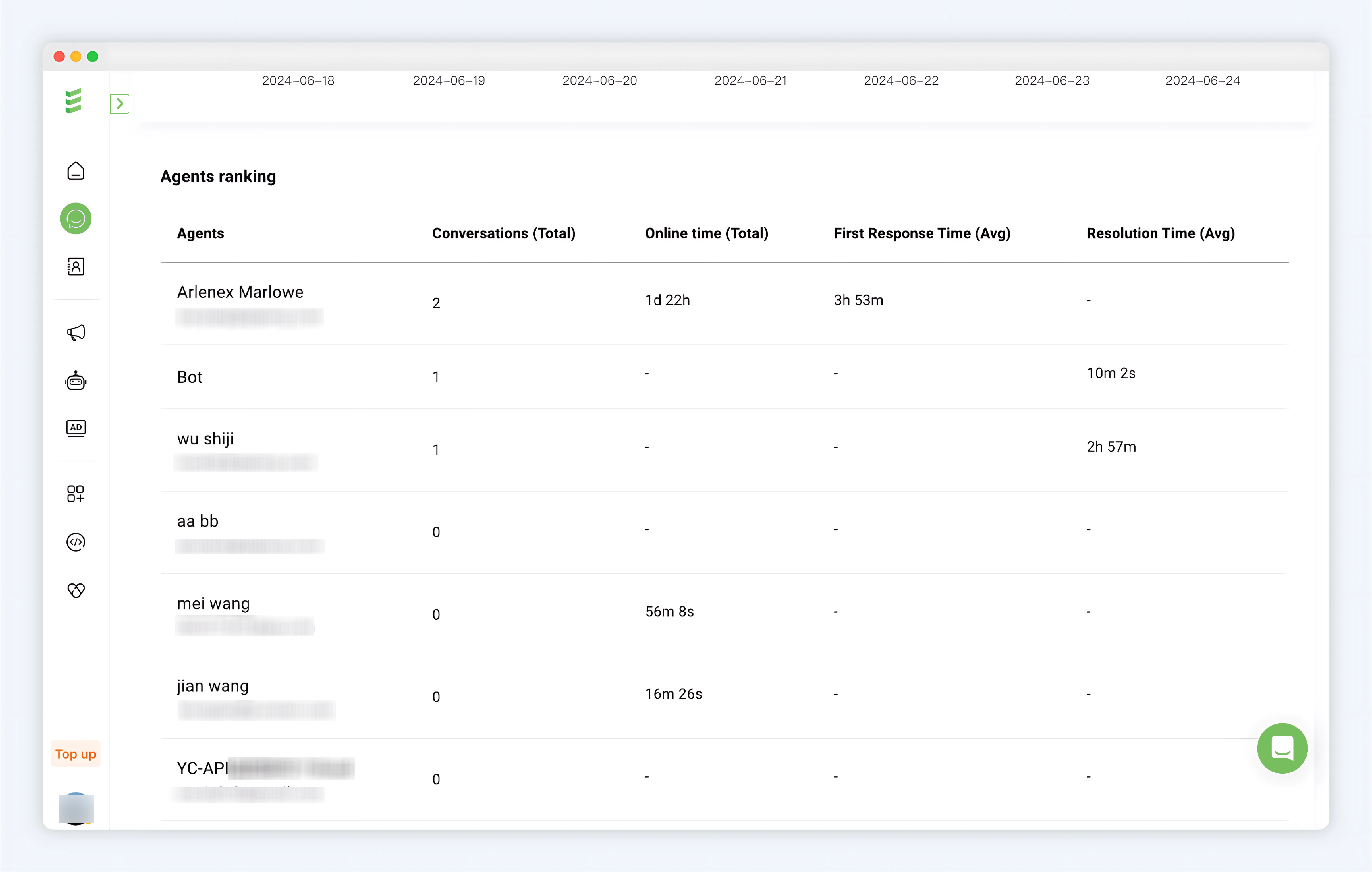
Agent Ranking Statistics
Sorting rule: Agents with more received conversations are ranked at the top.
Inboxes
From the perspective of Inboxes, the entry is shown in the figure Analytics > Inboxes
-
Data Filtering: Select the statistical time period, defaulting to the last 7 days. Up to the last 1 year of data can be selected. Select the corresponding Inbox, defaulting to the total data of all Inboxes, click the "magnifying glass" search button to load the data.
-
Data Download: Click the "Download" button
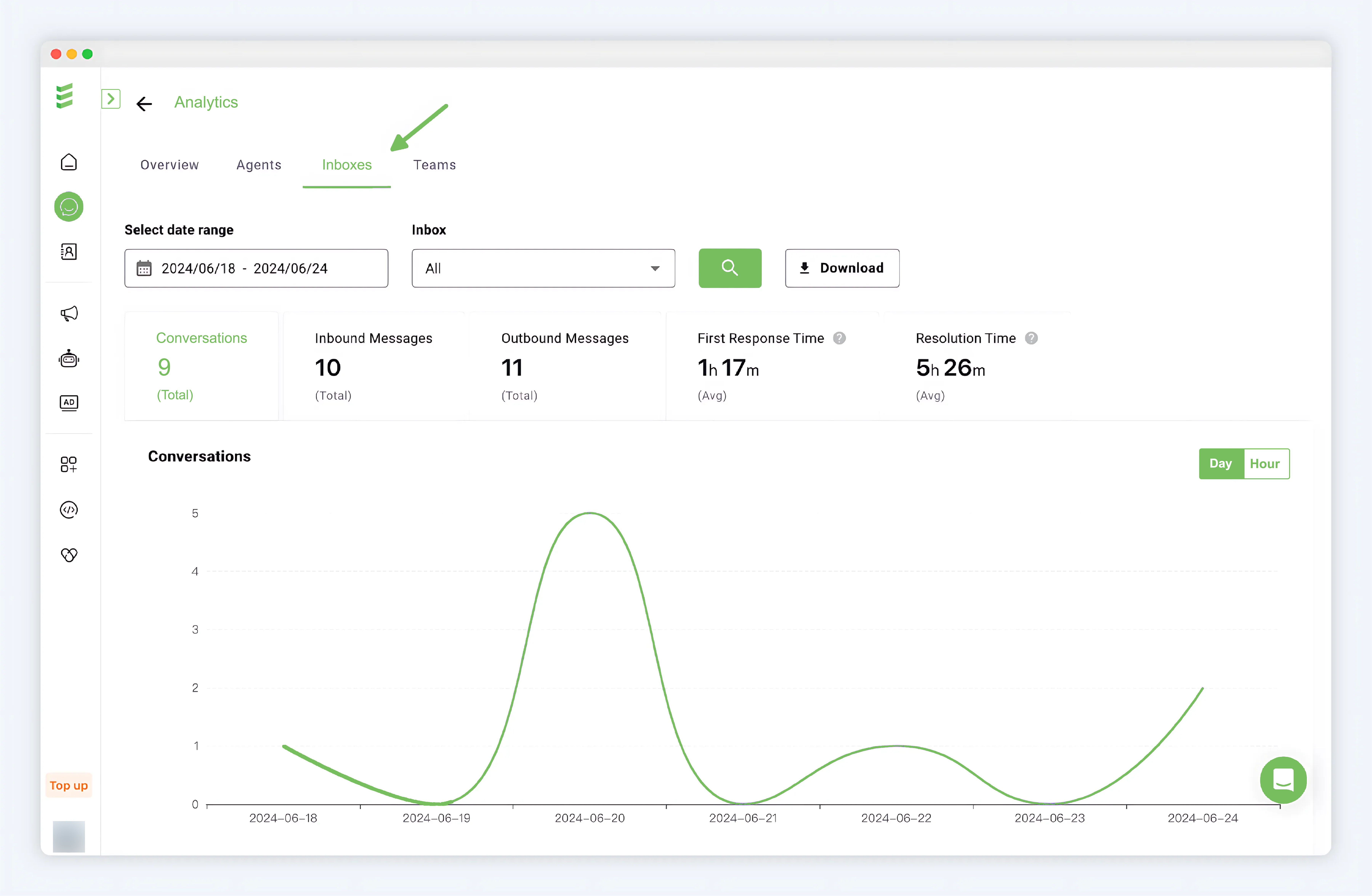
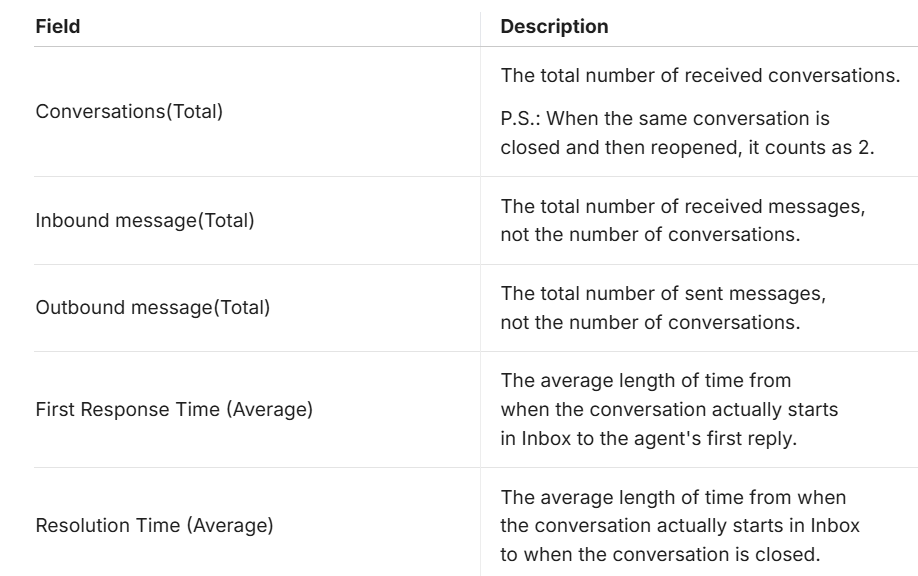
Inbox Conversation Statistics Fields
Teams
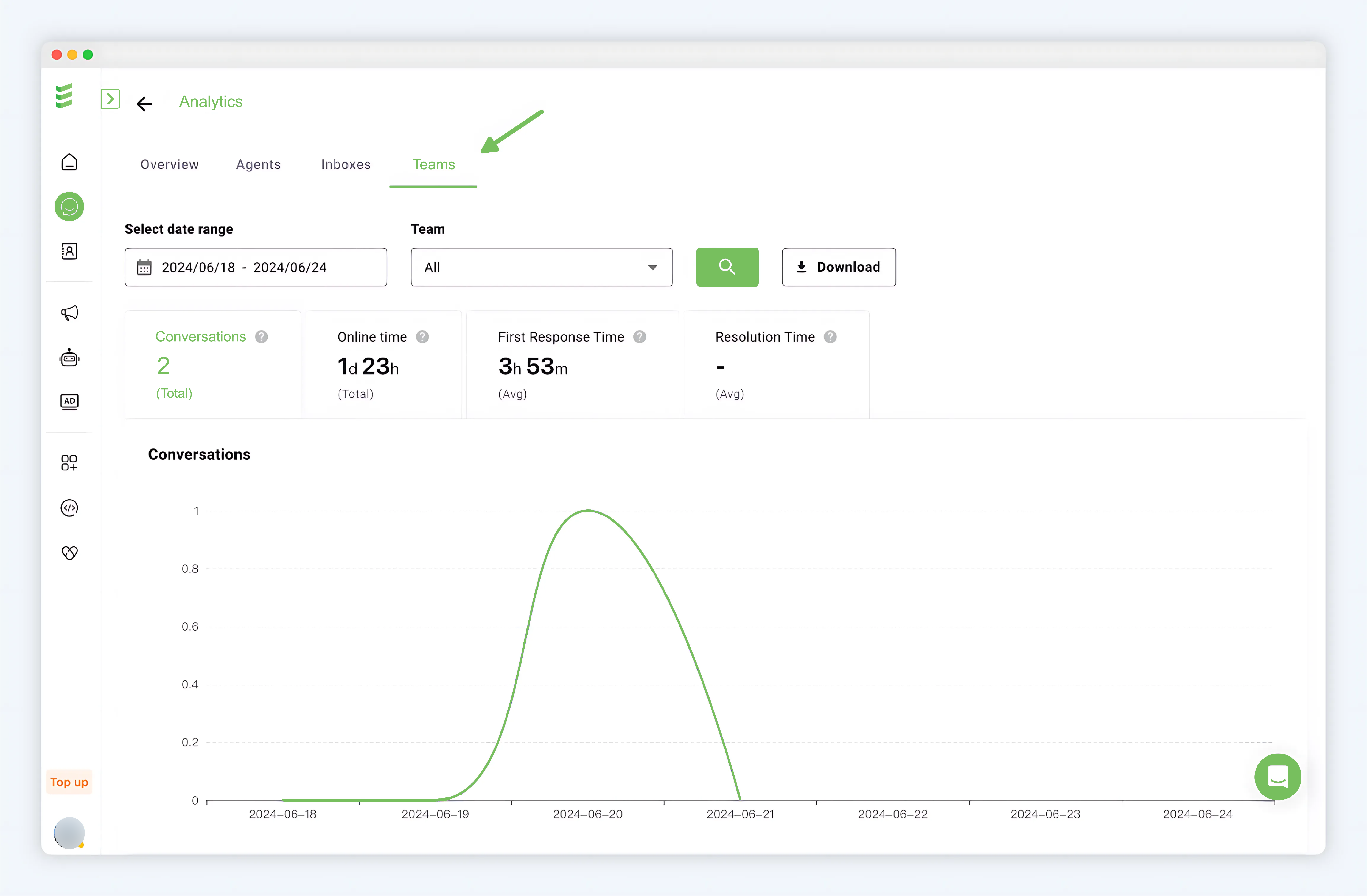
From the perspective of Inboxes, the entry is shown in the figure Analytics > Teams
Data Filtering: Select the statistical time period, defaulting to the last 7 days. Up to the last 1 year of data can be selected. Select the corresponding Team, defaulting to the total data of all Teams, click the "magnifying glass" search button to load the data.
- Data Download: Click the "Download" button
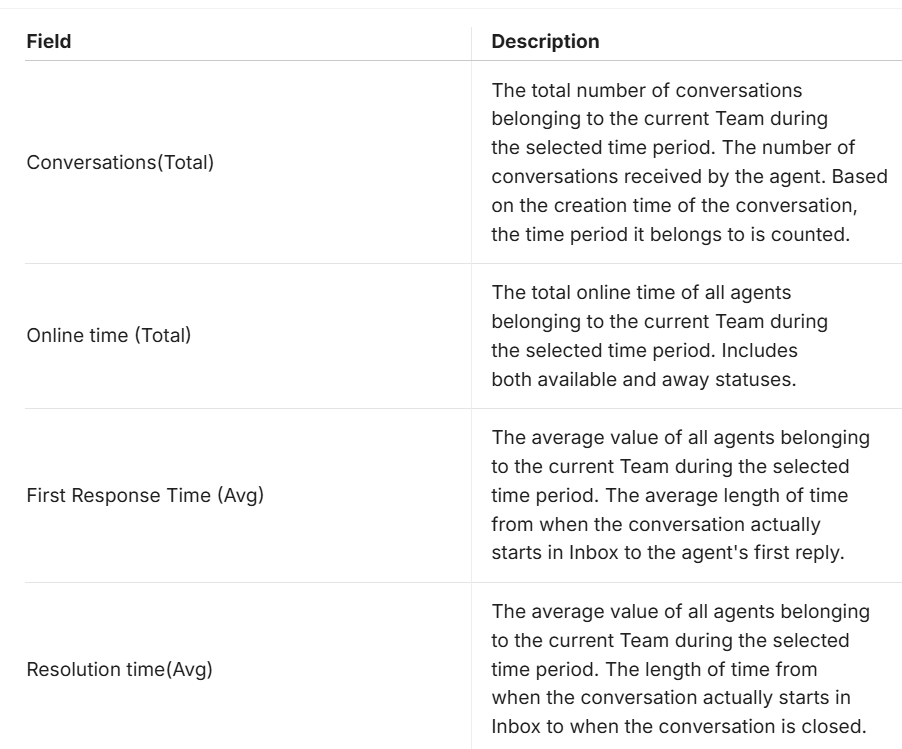
Agent Ranking Statistics
Agent ranking statistics within the Team, sorted by the total number of conversations.